
Account management
Create, archive and update trading accounts from the CRM interface.
RedCherry
Broker & Prop Firm CRM
Trading Platforms
RedCherry connects directly to MetaTrader 4 and 5, with TradeLocker and cTrader coming soon, so accounts, groups, balances and trading activity are managed from one place.
Open accounts, change groups and leverage, and follow balance, equity and margin in real time without logging in to the manager terminal.
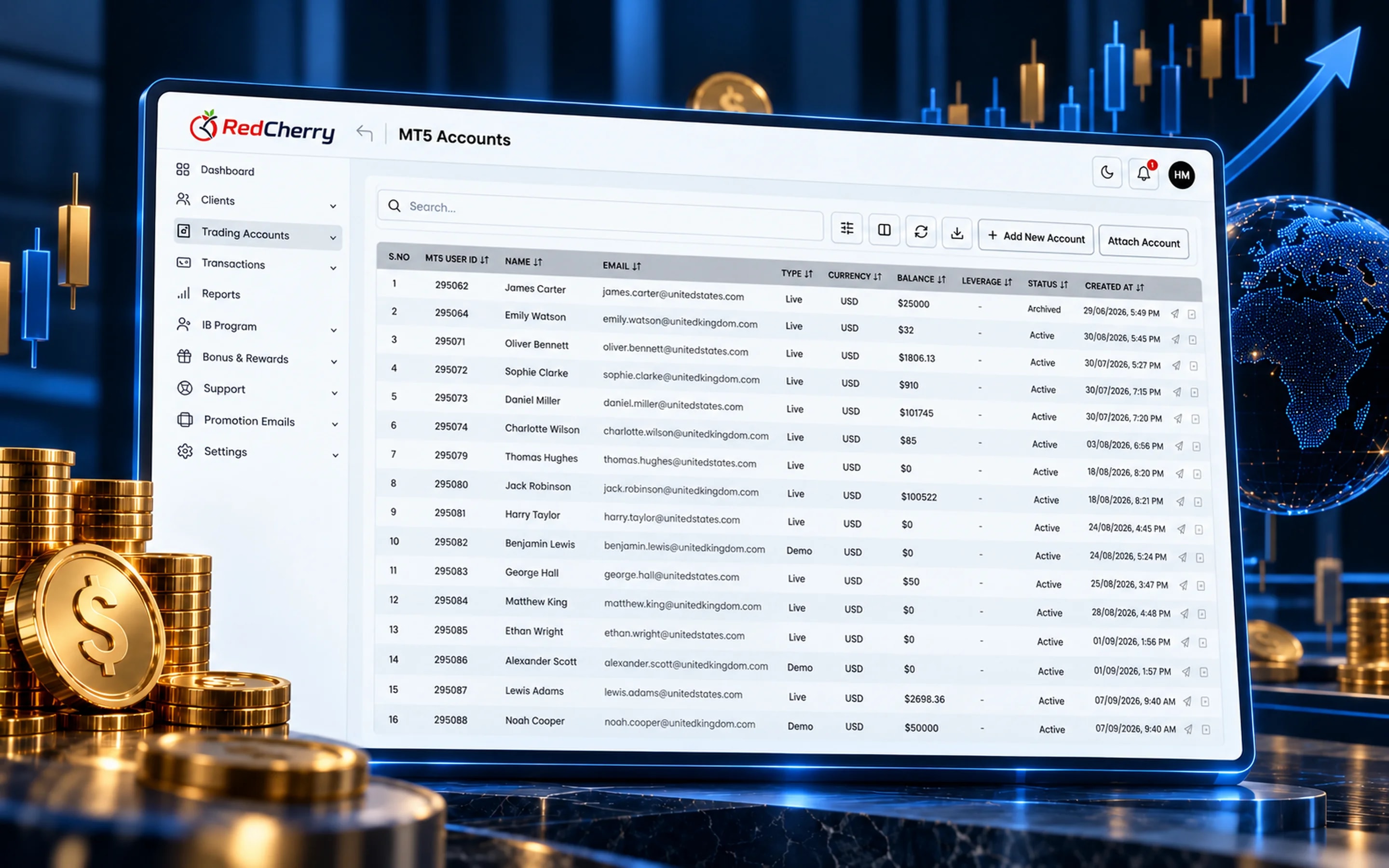
Create, archive and update trading accounts from the CRM interface.
Open positions, pending orders and trading history for every client.
Trading groups with custom commissions, leverage and bulk actions.
MetaTrader 4 and 5 today, with TradeLocker and cTrader coming soon. Accounts, balances and equity sync in real time.


 Coming soon
 Coming soon
RedCherry connects directly to your MetaTrader 4 and MetaTrader 5 servers. Accounts are created from the CRM the moment a client is approved, groups and leverage are set without opening the manager terminal, and balance, equity, margin and open positions sync in real time to the client's record. TradeLocker and cTrader integrations are coming soon.
For the client, this means a live account seconds after KYC approval and a portal where wallet transfers reach the trading account immediately. For the brokerage, it means one place to see every trading account, apply bulk actions and follow activity that drives IB commissions and bonus targets.
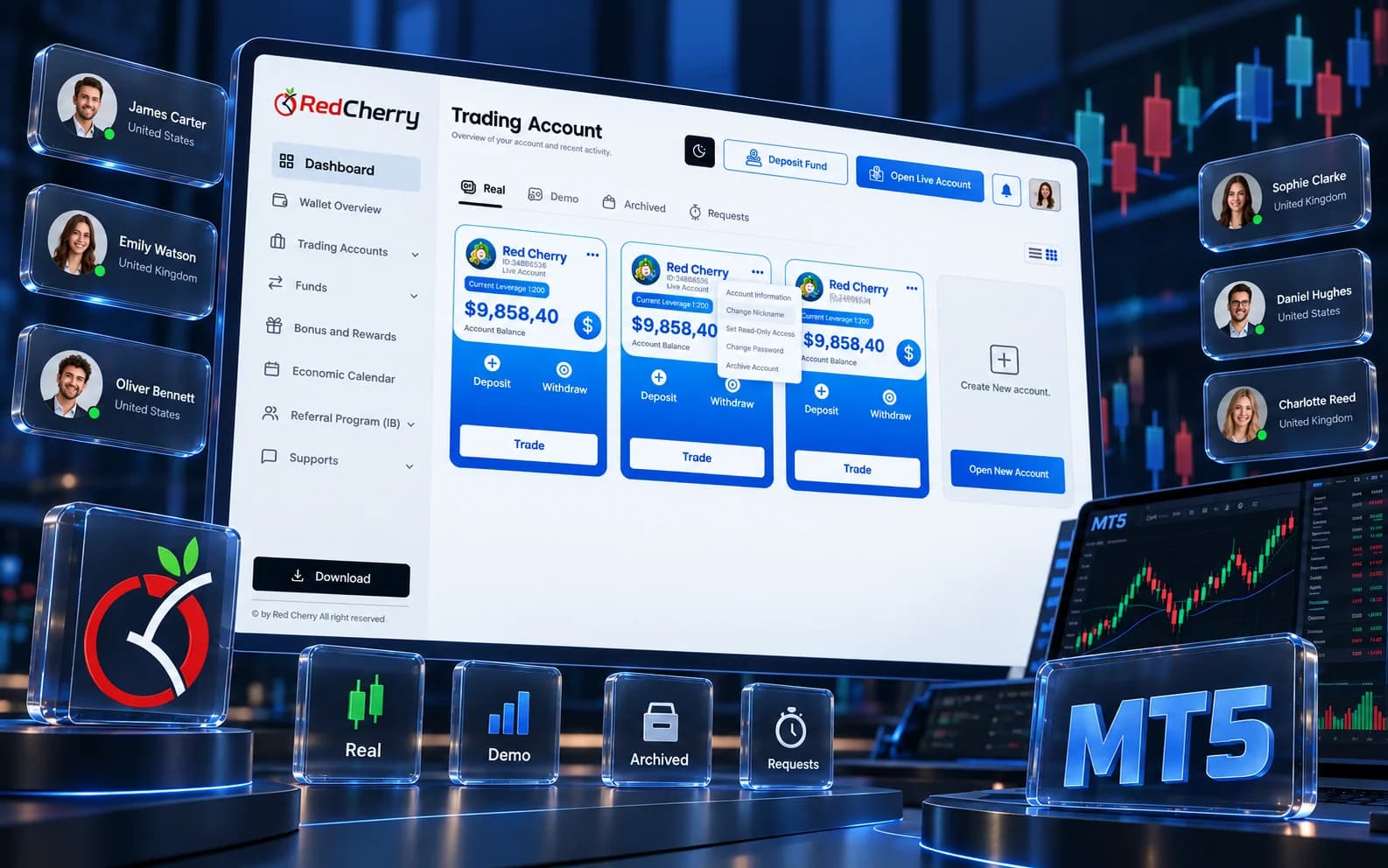
Trading groups carry the commercial terms of an account: spreads and commissions, leverage, margin call and stop-out levels, swap settings. In RedCherry the group is chosen when the account is created, from the CRM, and can be changed later for one account or for every account that matches a filter, for example all clients of one IB or every account in a country. Leverage changes requested by clients in the portal arrive as requests your team approves or rejects, and each decision is logged.
Because trading activity syncs in real time, the CRM is also where the business reads it: closed lots feed IB commission and bonus targets, open positions and equity show on the client record, and management sees trading volume by group, country and partner on the dashboard without opening the manager terminal.
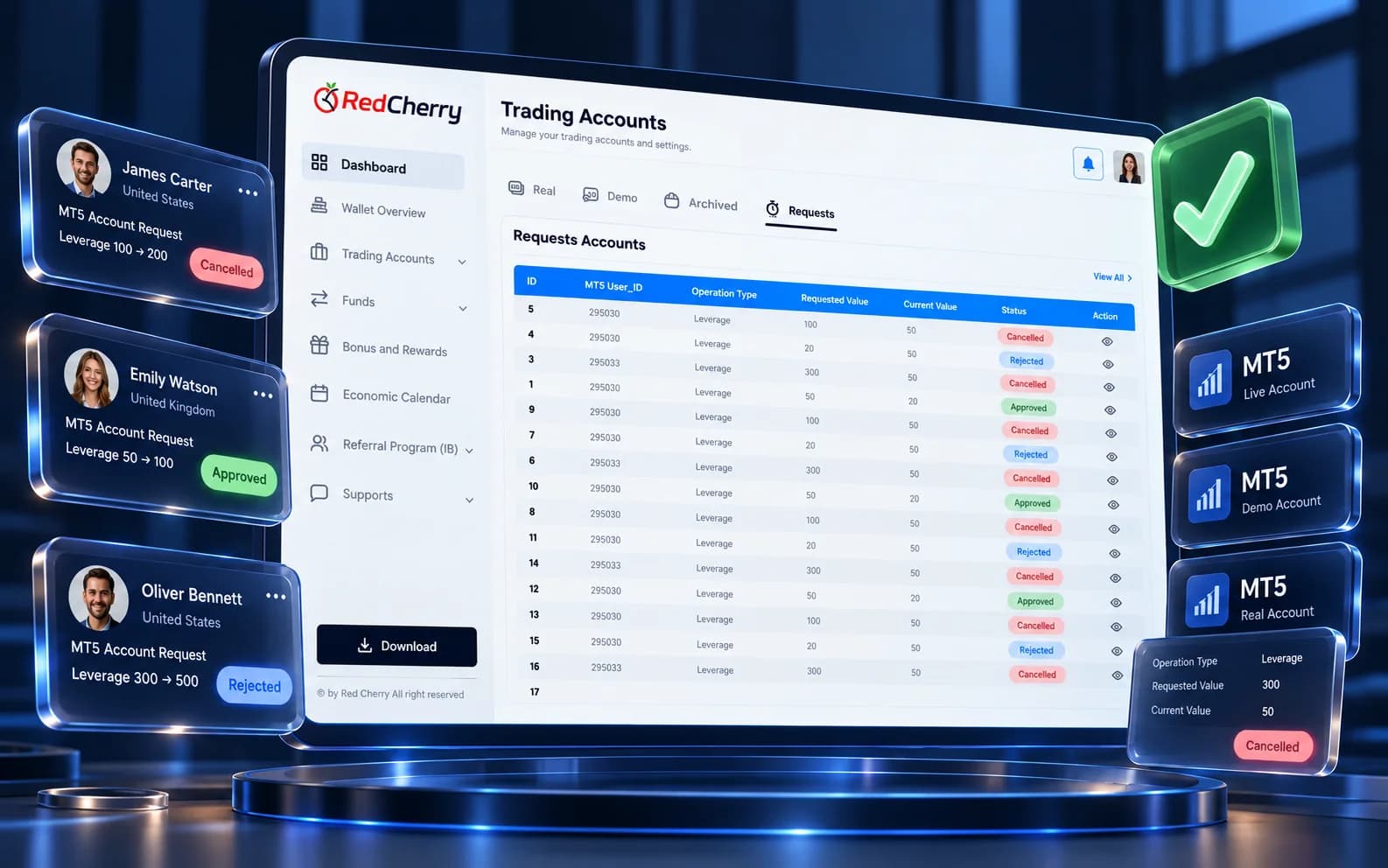
MetaTrader 4 and MetaTrader 5 today, with TradeLocker and cTrader coming soon. Other platforms can be scoped as custom integrations.
Yes. Once a client passes the verification level you require, the account is created on your MT4 or MT5 server with the group and leverage you configured.
Balance, equity, margin and positions sync in real time, so the CRM and the trading server show the same numbers.
Yes, individually or in bulk, with every change recorded in the activity log.
Yes. Several MT4 and MT5 servers can be connected to the same brokerage.
Yes. Clients can open live and demo accounts in different groups and currencies from the portal, within the limits you set.
Multi-currency wallets and 12 payment gateways
Explore Wallets & PaymentsClient & lead management, scoring and segmentation
Explore CRM & Lead ManagementReal-time dashboard and business analytics
Explore Reporting & AnalyticsThe systems a new brokerage needs working before its first client arrives, and the order to put them in place.
Read the guideTwelve questions to put to any brokerage CRM vendor before you sign, and what a good answer looks like.
Read the guideSetting targets and risk rules that find skilled traders without scaring off new ones.
Read the guideTell us which platform you run and our team will scope the integration with you.
Book a demo